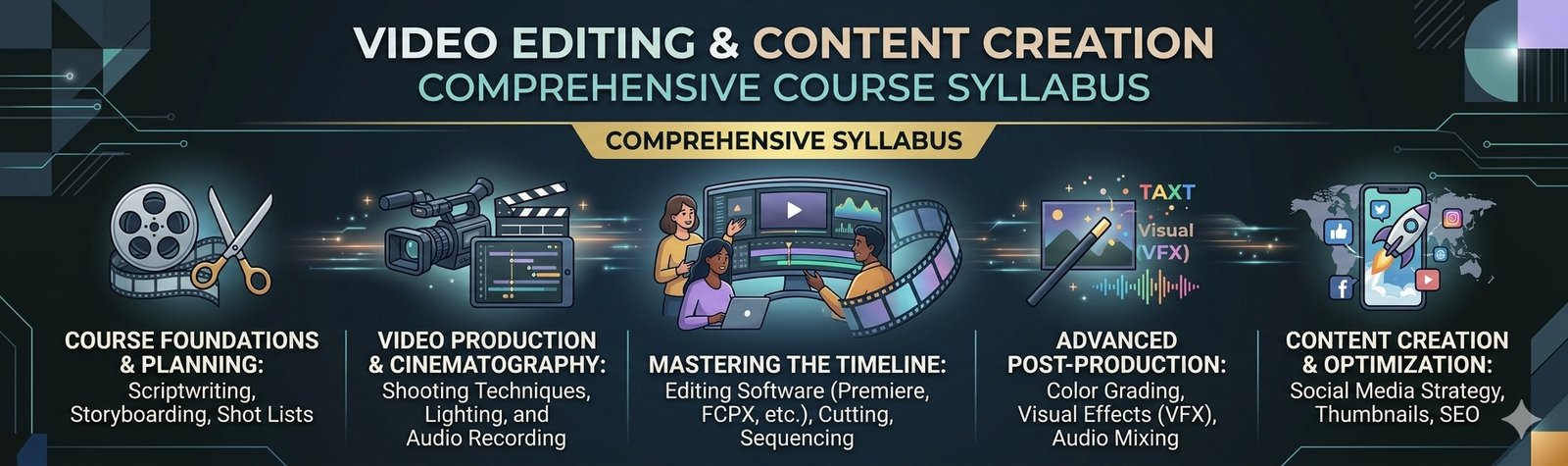
Course Modules
Module 1: Video Editing Fundamentals
- Introduction to Video Editing
- Video Formats & Resolutions
- Frame Rate & Aspect Ratio
- Understanding Timelines
- Importing & Organizing Media
- Basic Editing Workflow
- Audio & Video Fundamentals
Module 2: Professional Video Editing
- Cutting & Trimming
- Transitions
- Text & Titles
- Captions & Subtitles
- Speed Ramping
- Slow Motion & Time-Lapse
- Green Screen / Chroma Key
- Basic Colour Correction
- Video Effects
- Audio Editing & Sound Effects
Module 3: Short-Form Video & Reels
- Instagram Reels
- YouTube Shorts
- Facebook Videos
- Hook & Attention-Grabbing Openings
- Vertical Video Editing
- Trending Editing Styles
- Captions & On-Screen Text
- B-Roll & Visual Storytelling
- Creating Engaging Short Videos
Module 4: YouTube Video Editing
- YouTube Video Structure
- Intro & Outro
- Talking-Head Videos
- B-Roll
- Voice & Music
- Titles & Graphics
- YouTube Shorts
- Thumbnail Basics
- Export Settings for YouTube
Module 5: Motion Graphics & Visual Effects
- Motion Graphics Fundamentals
- Keyframes
- Text Animation
- Logo Animation
- Basic Motion Effects
- Masking
- Visual Effects
- Creative Transitions
Module 6: Audio & Voice
- Voice Recording Basics
- Noise Reduction
- Voice Enhancement
- Background Music
- Sound Effects
- Audio Mixing
- Voice-over Synchronization
Module 7: AI for Video Creation
- Introduction to AI Video Tools
- AI Video Generation
- Text-to-Video
- Image-to-Video
- AI Script Generation
- AI Voice Generation
- AI Subtitles & Captions
- AI Video Enhancement
- AI Background Removal
- AI Image Generation for Videos
- AI-assisted Video Editing
Module 8: AI Content Creation
- Creating Video Ideas with AI
- Writing Hooks & Scripts
- Short-Video Content Planning
- AI Voiceovers
- AI Avatars & Presenters
- Creating Promotional Videos with AI
- Social Media Content using AI
- Prompt Writing for Video Creation
Module 9: Social Media & Digital Marketing Videos
Students learn to create:
- Instagram Reels
- YouTube Shorts
- Product Videos
- Promotional Videos
- Educational Videos
- Business Ads
- Event Videos
- Course Promotion Videos
- Social Media Campaign Videos
Module 10: Practical Projects
Students create complete projects such as:
- Instagram Reel
- YouTube Short
- YouTube Video
- Business Promotional Video
- Product Advertisement
- AI-generated Video
- Educational Video
- Institute/Brand Promotional Video
- Social Media Video Campaign
Module 11: Portfolio & Freelancing
- Building a Video Editing Portfolio
- Client Requirements & Briefs
- Video Editing Workflow
- Project Pricing Basics
- Client Communication
- Freelancing Fundamentals
- Resume & Interview Preparation
Tools & Technologies
Professional Video Editing Software
Canva
AI Video Tools
AI Voice Tools
AI Image Tools
AI Captioning Tools
Keep the actual software names on the website only if you are definitely teaching those tools. This prevents the syllabus from becoming outdated when AI/video platforms change.
Career Opportunities
After developing practical skills, students can explore roles such as:
Video Editor
Social Media Video Editor
Reels Editor
YouTube Video Editor
Content Creator
Motion Graphics Junior Designer
AI Content Creator
Freelance Video Editor
Who Can Join?
Students
Beginners
Graduates
Content Creators
Digital Marketers
Social Media Managers
Freelancers
Business Owners
Course Outcome
By the end of the course, students should be able to edit professional videos, create short-form content, produce promotional videos and use AI tools to speed up the video creation workflow, supported by a practical portfolio.

 Franchise